We've all been there. You're trying to send a file, start a video call, or stream a favorite show, and suddenly, the internet stops cooperating. It might buffer endlessly, or cut out altogether.
But before you call customer support, take a deep breath. Many everyday connectivity issues can be solved at home in just a few minutes, no tech background required.
At Conexon Connect, we're here to help rural families enjoy reliable, high-speed fiber internet. Part of that means giving you the tools to troubleshoot common issues yourself, saving time, stress, and avoiding unnecessary service calls.
We’ve prepared a simple checklist to follow the next time your connection acts up.
Start with the basics: check your equipment
The most common causes of internet issues aren’t technical, they’re often physical.
Inspect your modem and router to make sure:
- All cables are securely plugged in, particularly the power cord and fiber cable.
- There’s no visible damage to the fiber line or ethernet cables.
- Your router is plugged into a working outlet, and lights on the unit are on.
If your router is flashing red or showing no lights at all, try unplugging it, waiting 30 seconds, and plugging it back in. This basic reboot resolves many temporary issues caused by power surges, overheating, or short-term glitches.
If your equipment is located in a tight space, such as a closet, cabinet, or behind a couch, it’s also worth moving it to a more open area. Routers need air circulation and line-of-sight to reach all corners of your home effectively.
Reboot strategically
Rebooting your equipment isn’t just about turning it off and on, it’s about restarting the system in the right order.
Here’s the best method:
- Unplug your router and modem (or your all-in-one unit if combined).
- Wait at least 30–60 seconds.
- Plug the modem back in first (if separate).
- Wait for it to fully power up - this may take 1–2 minutes.
- Plug the router back in.
- Wait for all lights to return to normal
Once rebooted, test your connection again. Many customers find this quick reset resolves slow speeds, temporary disconnects, or dropped Wi-Fi signals, especially after storms or outages.

Test Your Connection (And Your Device)
Sometimes the issue isn’t the network, it’s a single device or application that’s acting up. To isolate the problem:
- Try a different device (phone, tablet, laptop) to see if the issue persists.
- Run a speed test (e.g. speedtest.net) on a wired and wireless connection.
- Test different websites or apps - sometimes, individual platforms experience outages.
If only one device is affected, the issue may be related to that device’s Wi-Fi settings or internal software. Try restarting it or forgetting and rejoining the Wi-Fi network. If the problem is happening across all devices, the network itself may need further attention.
Reduce Network Traffic
If your internet is slow rather than offline, bandwidth may be the culprit. Activities like streaming, gaming, and video conferencing use a lot of data, especially if several people are online at once.
Try temporarily turning off or pausing:
- Video streams
- Large downloads or file uploads
- Cloud backups
- Smart home devices (like security cameras)
If your speed improves, you may just be maxing out your current bandwidth during peak times. In that case, consider talking to Conexon Connect about a higher-speed plan to better match your household’s needs.
Check for Outages or Maintenance
Occasionally, service interruptions are caused by scheduled maintenance or unexpected outages. Before diving deeper into troubleshooting, visit your provider’s website or social media pages for updates.
At Conexon Connect, we do our best to keep you informed of outages through proactive communications and service alerts. If you’re unsure whether there’s a known issue in your area, checking our site or calling our automated service line is a good step before requesting a technician.
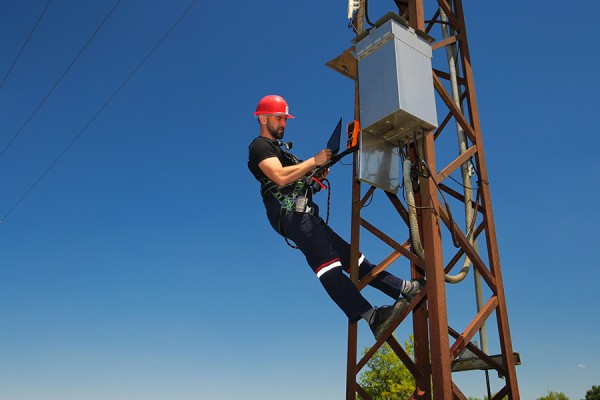
Know When to Call for Help
If you’ve walked through the steps above and your service is still down or unstable, it’s time to call support, and that’s okay! Some issues may require a deeper look or professional repair.
When you do call, having the following information ready can make the process faster:
- A summary of the problem (slow speeds, no connection, dropped signal, etc.)
- When the issue started
- What devices are affected
- Steps you’ve already taken to troubleshoot
- Any error messages or indicator light patterns you've noticed
- Your account number or account verification
At Conexon Connect, our support teams are trained to resolve issues efficiently and respectfully. We appreciate customers who take the initiative to troubleshoot first, it helps us get you back online even faster.
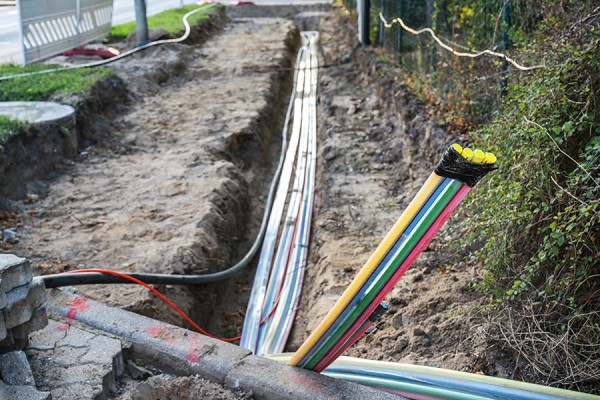
Why DIY Troubleshooting Matters
Learning to solve small issues on your own is more than just convenient, it’s empowering. With fiber internet, most problems are rare and easy to fix however, by knowing a few simple steps, you can avoid long wait times, get your service back up quickly, and feel more confident in your connection.
It also helps reduce call volume, meaning faster service for customers who need technician support, especially in emergency or outage situations.
A Smarter Way to Stay Connected
Your home internet is one of your most important utilities, powering everything from work and school to entertainment and safety. At Conexon Connect, we believe that rural customers deserve the same high-quality, high-performance service as anyone else.
By learning a few DIY tips, you can keep your connection strong and solve common issues without the hassle. And when you do need help, our local support team is just a call away.
Check back at conexonconnect.com/blogs for regular updates and news about our services!
FAQs
1. Why does my internet slow down or disconnect randomly?
Internet slowdowns are often caused by temporary glitches, equipment overheating, loose cables, or high bandwidth usage. A quick reboot and checking your connections can resolve many common issues.
2. How often should I reboot my modem and router?
Rebooting once every few weeks—or after storms, power outages, or performance issues—can help refresh your connection and improve reliability.
3. How can I tell if the problem is my device or my internet service?
Try connecting with another device or running a speed test. If only one device is affected, the issue is likely device-related. If all devices are impacted, it may be a network issue.
4. Does having too many devices online slow down my internet?
Yes. Streaming, gaming, video calls, and smart devices all use bandwidth. If multiple activities are happening at once, speeds may slow—especially during peak usage times.
5. When should I contact Conexon Connect support?
If you’ve checked your equipment, rebooted properly, tested multiple devices, and confirmed there’s no outage—but the issue continues—it’s time to call support for further assistance.